

TM 5-3805-296-23-2
0114
Table 1. Service or Parking Brakes Do Not Release Correctly Continued.
0114
MALFUNCTION
TEST OR INSPECTION
CORRECTIVE ACTION
5. Turn battery disconnect switch to
Service or Parking Brakes
ON position and start engine. Idle
Do Not Release Correctly -
engine for 20 minutes or until air
Continued
pressure gauge reaches normal
operating pressure
(TM 5-3805-296-10).
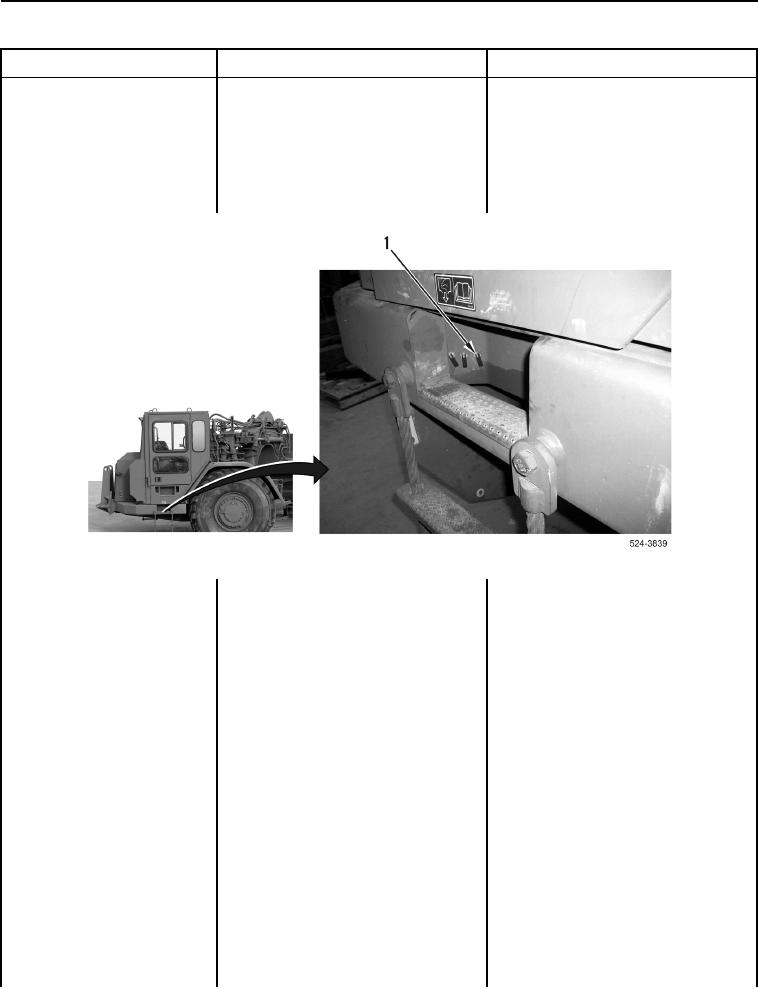
6. Open valve (Figure 2, Item 1).
Figure 2. Air Drain Valve.
0114
7. Monitor and record air pressure on
Air Pressure Within Specification
gauge (Figure 1, Item 3). Air
Proceed to step 8.
Air Pressure Not Within
pressure should be 125 5 psi
Specification Proceed to Test Step 5.
(862 34 kPa).
8. Monitor and record air pressure on
Gauge Reading Shows Pressure
gauge (Figure 1, Item 3) while
Increase
assistant pumps brake pedal
Proceed to Test Step 6.
(TM 5-3805-296-10) until air
Gauge Reading Does Not Increase
pressure drops to 95 psi
Replace air compressor governor
(654 kPa). Gauge reading should
(WP 0261).
start to show pressure increase.
Proceed to Test Step 29.
9. Turn ignition switch and battery
disconnect switch to OFF position
(TM 5-3805-296-10).
10. Close valve (Figure 2, Item 1).
11. Disconnect quick disconnect hose
(Figure 1, Item 5) from
quick disconnect coupling half
(Figure 1, Item 1).